Language
Many operators focus on maintenance before and during operation, but what happens after a laser cutting machine powers down matters just as much. Proper shutdown procedures prevent contamination buildup, protect optics, and ensure your laser cutting machine starts reliably the next morning. This guide covers the essential post-shutdown actions that extend equipment life.
When a laser cutting machine stops cutting, residual heat, airborne dust, and metal spatter remain in the work zone. Without proper attention, these elements settle on critical components overnight. Over weeks and months, this accumulation causes power loss, positioning errors, and premature component failure. A few minutes of shutdown care saves hours of troubleshooting later.
The protective lens on your laser cutting machine should be cleaned right after the last cut, while the cutting head is still accessible and contaminant types are known.
Procedure: Remove the lens assembly, blow off loose particles with a rubber blower, then wipe with optical-grade solution and lint-free wipes. Cleaning now prevents spatter from hardening overnight—hardened deposits require more aggressive cleaning that risks scratching the lens coating.
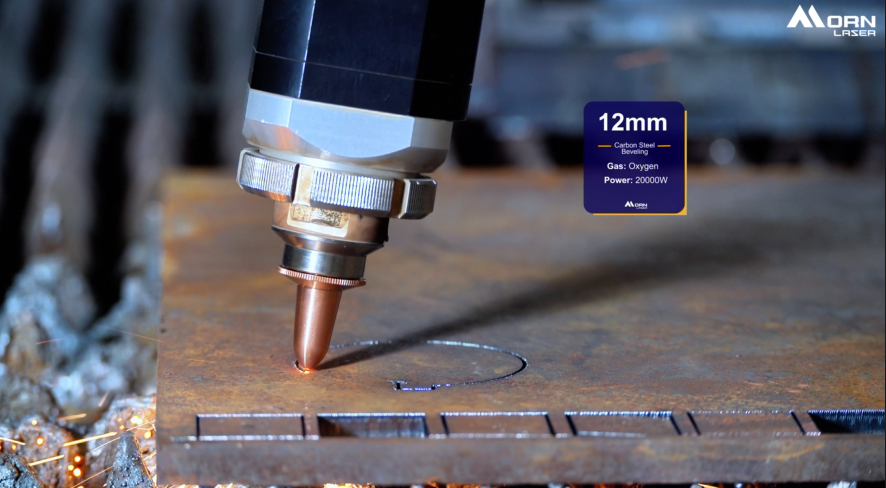
Spatter accumulates inside the nozzle during cutting. If left overnight, it bonds to the metal surface and restricts gas flow during the next startup.
Procedure: Remove the nozzle from your laser cutting machine and inspect the orifice. Clean with a soft wire brush. Check that the ceramic ring around the cutting head is free of debris. A clogged nozzle causes poor cut quality and can damage the cutting head on the next run.
Dust settles on exposed rails and racks after the machine stops. Combined with residual lubricant, this creates an abrasive paste that accelerates wear during the next startup.
Procedure: Wipe rails with a clean, dry cloth. Remove metal chips from rack teeth using a soft brush. Apply a thin coat of fresh lubricant to protect surfaces overnight—especially important in humid environments where bare metal oxidizes.
The chiller on your laser cutting machine should remain operational during cooldown, but standing water left for extended shutdown periods invites algae growth and contamination.
For overnight shutdown: Verify the chiller continues circulating for at least 10-15 minutes after the laser stops, allowing proper cooling of the laser source.
For extended shutdown: Drain the water tank completely, or add appropriate anti-algae treatment. Stagnant water in a laser cutting machine's cooling system causes biofilm that blocks heat exchangers.
Close the assist gas main valve after shutting down your laser cutting machine. Even minor leaks in fittings waste gas overnight and create safety hazards in enclosed spaces. Check that pressure gauges drop to zero after closing the valve—a slow drop indicates a leak requiring attention.
Dust and smoke residue accumulate in exhaust ducts and filters. After the last shift, empty collection bins and inspect filter condition.
Procedure: Remove and clean the pre-filter on your laser cutting machine's fume extraction unit. If the main filter shows heavy loading, replace it before the next shift. Restricted exhaust airflow causes smoke to escape into the workshop and contaminates optics faster.
Follow the correct shutdown sequence for your laser cutting machine:
Complete the current job and retract the cutting head
Run the chiller for the recommended cooldown period
Close the control software properly to save parameters
Switch off the laser source, then the main power
Lock out the main breaker if maintenance is planned
Abrupt power cuts can corrupt control parameters or damage the laser source on a laser cutting machine.
Before leaving, verify the cabinet door seals properly. In humid conditions, leave the anti-condensation heater active if your laser cutting machine has one. This small heater prevents moisture from condensing on circuit boards overnight.
| Task | Time Required | Priority |
|---|---|---|
| Clean protective lens | 3 minutes | Critical |
| Clean nozzle and head | 2 minutes | Critical |
| Wipe rails and racks | 3 minutes | High |
| Check chiller operation | 1 minute | High |
| Close gas supply | 1 minute | High |
| Clean exhaust filter | 2 minutes | Medium |
| Verify cabinet seals | 1 minute | Medium |
Print this checklist and post it near your laser cutting machine. Assign responsibility to the operator finishing the last shift. After two weeks, these actions become automatic—and the reduction in morning startup problems will be immediately noticeable.
Post-shutdown care on your laser cutting machine takes less than 15 minutes but delivers outsized returns. Clean optics start sharp the next day. Lubricated rails move smoothly. Proper cooling protects the laser source. These simple actions, performed consistently, keep your laser cutting machine productive for years.
Copyright © 2012-2026 Morn Laser All Rights Reserved.